Sharing model
Build one card, then derive Personal, Work, Networking, or custom profiles without duplicating your contact data.
Product
QontactR turns one local contact card into profile-based QR codes so you can hand off personal, work, or event-ready details in seconds without depending on accounts, internet, or manual typing.
QontactR uses standard vCard QR payloads for interoperability. Camera, Contacts, photo library, and Siri access are used only for the features the user chooses to invoke.
Sharing model
Build one card, then derive Personal, Work, Networking, or custom profiles without duplicating your contact data.
Import and save
Scan another person's QR from the camera or photo library, preview it, then save it into Contacts when you choose.
Quick access
Pinned widgets, Siri shortcuts, quick actions, and Apple Watch keep the right QR code close.
Why it matters
QontactR is designed for in-person handoff: let the sender choose the right subset of fields, let the recipient scan a standard payload, and keep the whole loop working offline.
QontactR starts from one contact draft and lets users maintain Personal, Work, Networking, or custom profiles with different field selections.
The app exports standard vCard payloads inside QR codes so recipients can use familiar scanning and save flows instead of a proprietary receiving app.
Camera scanning, photo import, preview, and save-to-Contacts flows let QontactR work in both directions during meetings, conferences, and client handoff.
Widgets, shortcuts, Home Screen quick actions, and Apple Watch surfaces reduce the friction between deciding what to share and actually showing it.
Screenshots
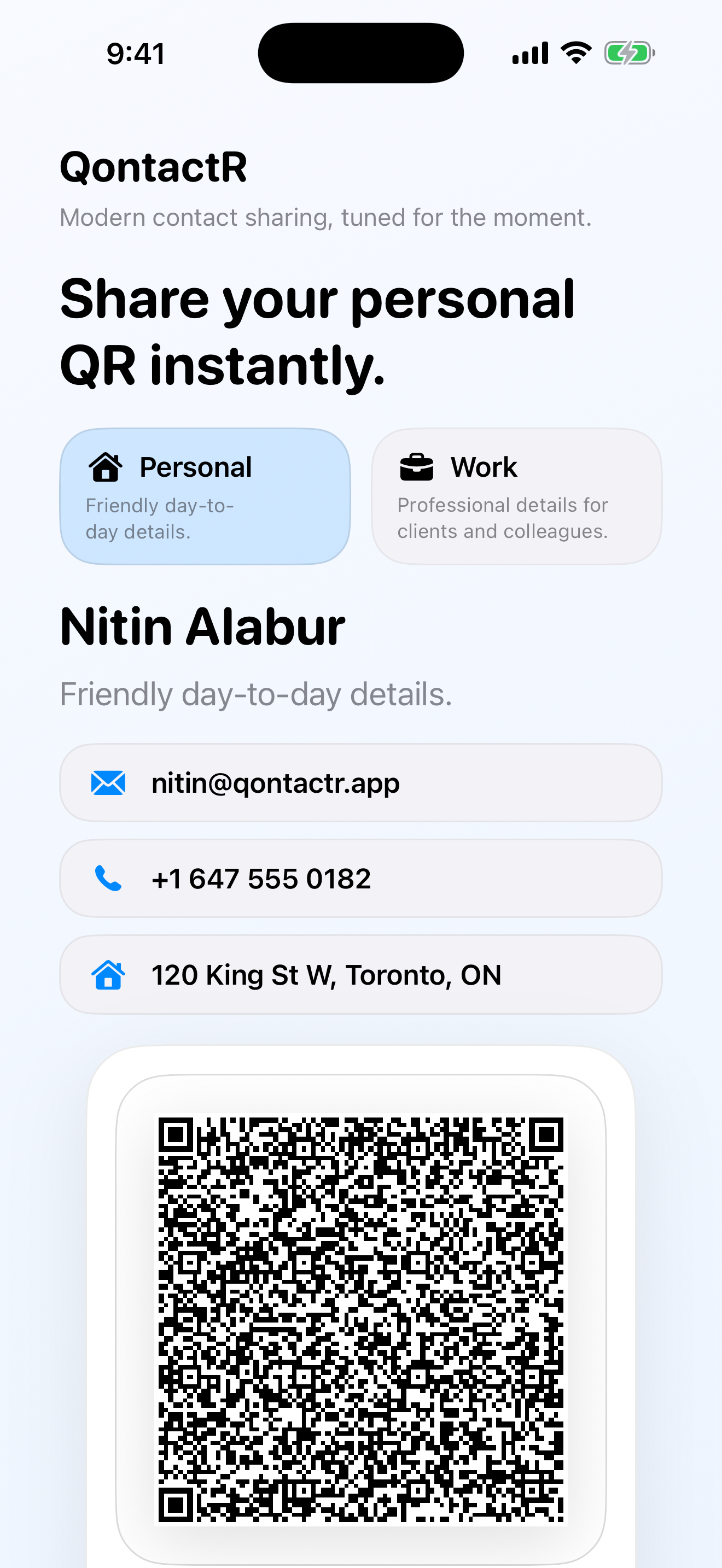
These screenshots come from the current rebuilt QontactR app and show profile sharing, profile management, QR intake, and glanceable Apple surfaces.
Open the default profile and show a ready-to-scan QR code with only the fields that fit the moment.
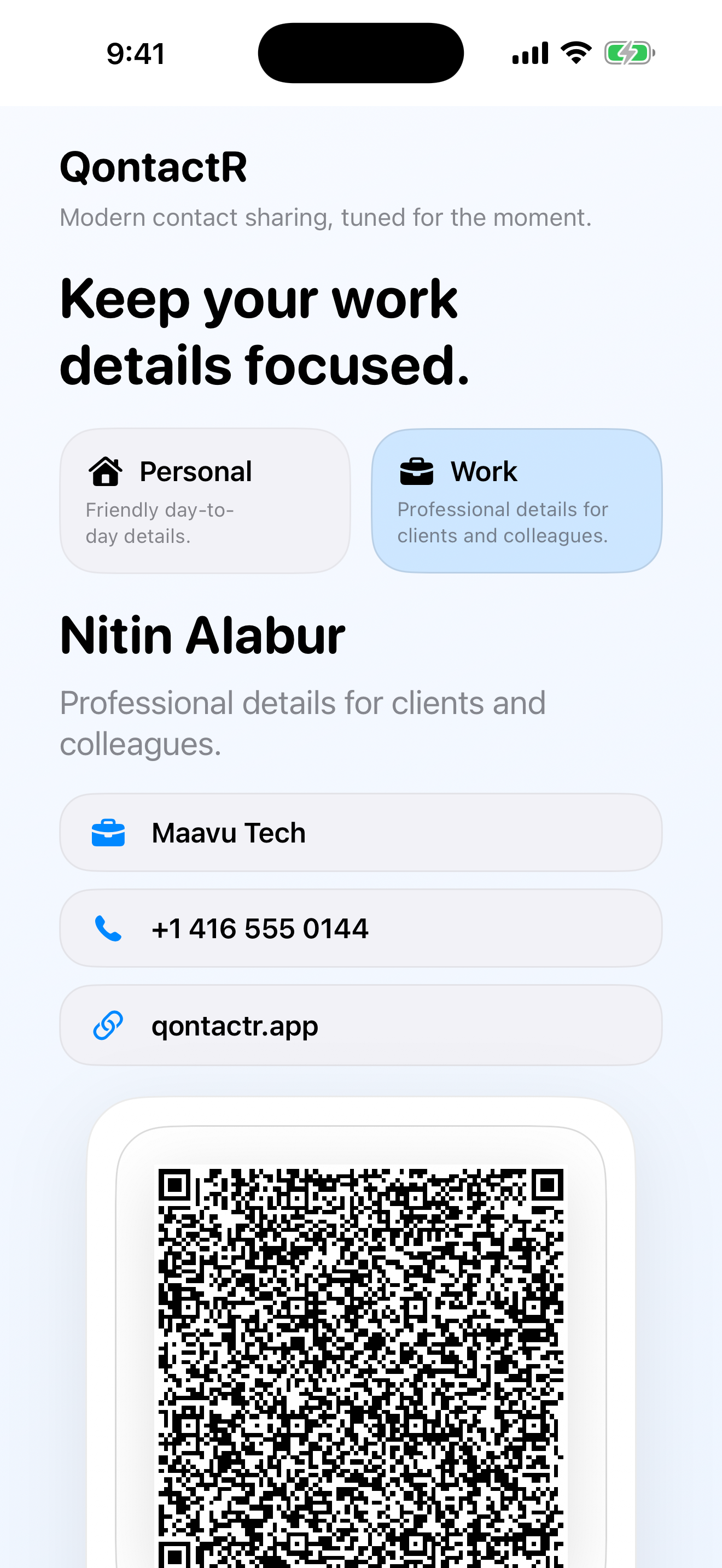
Switch to a work profile when you want company, title, and office details without exposing everything else.
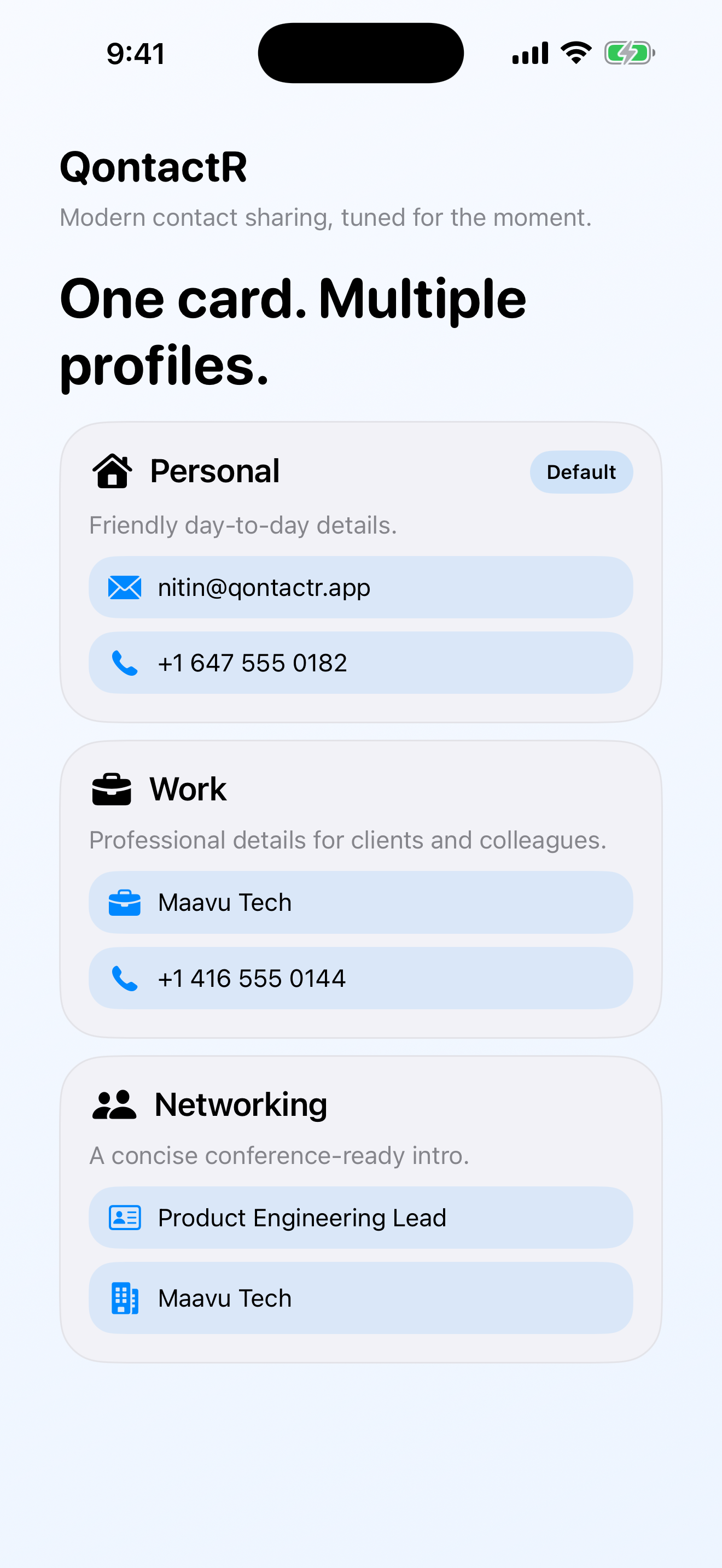
Maintain multiple presets and field selections so one source card can serve different audiences.
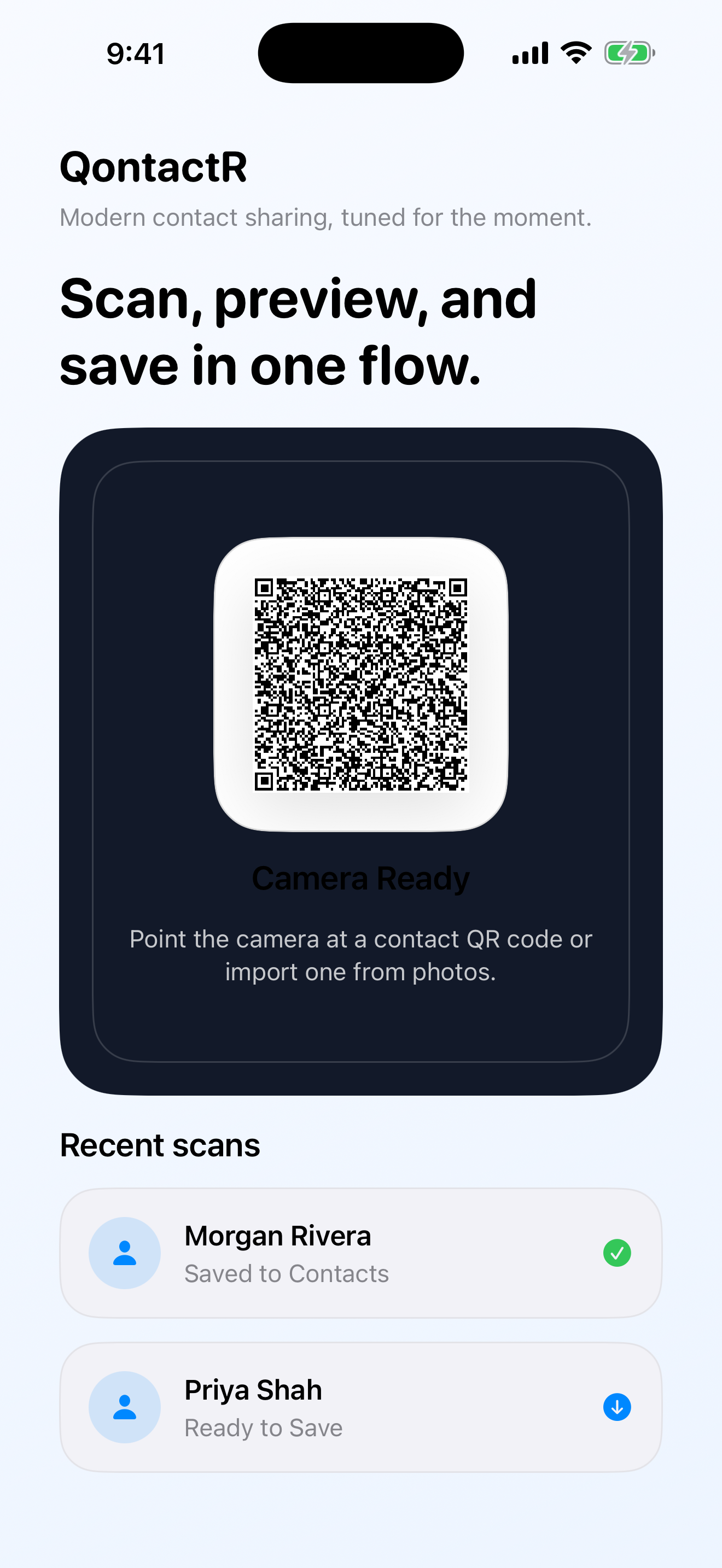
Use the camera or photo library to parse another person's QR code, review the result, and decide whether to save it.
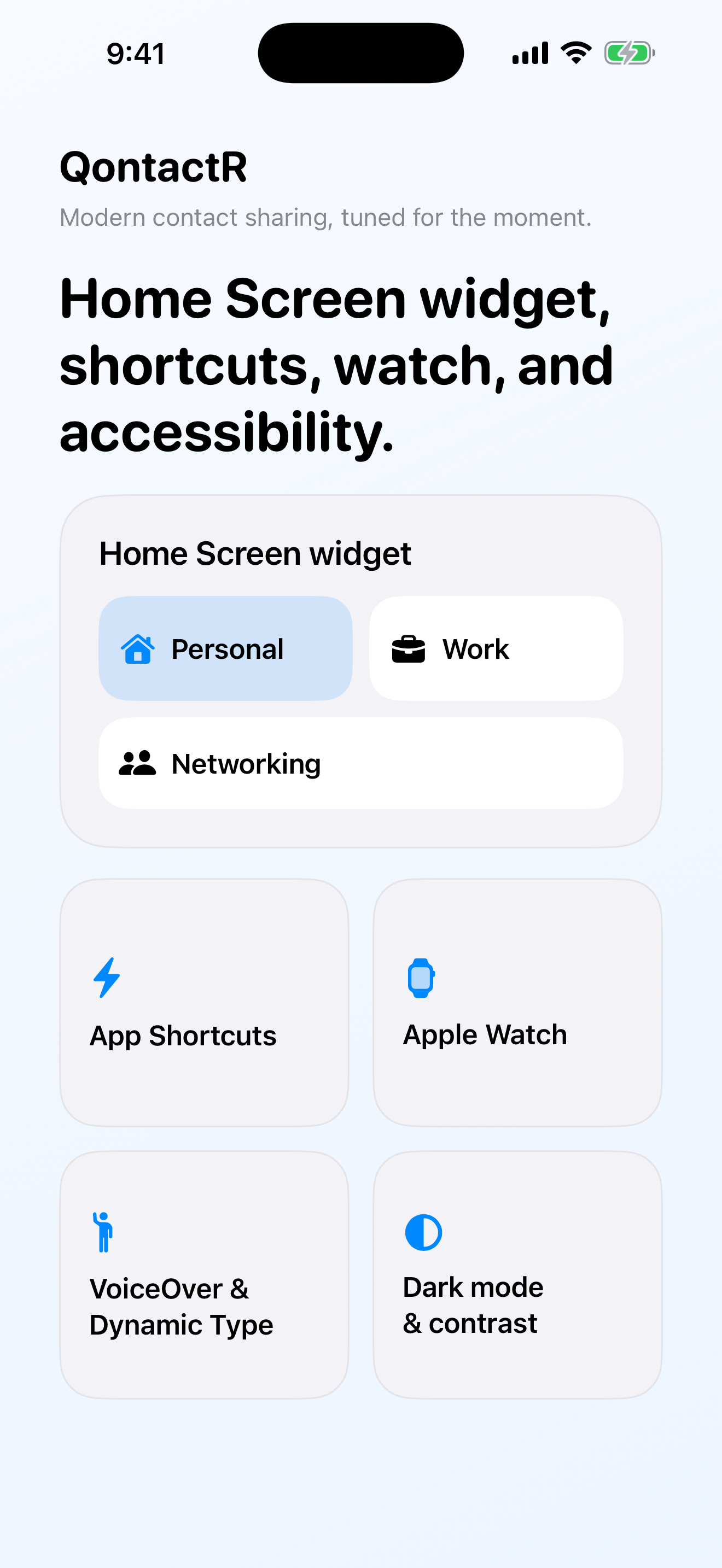
Home Screen widgets, quick actions, and shortcuts shorten the path from context switch to the right QR code.
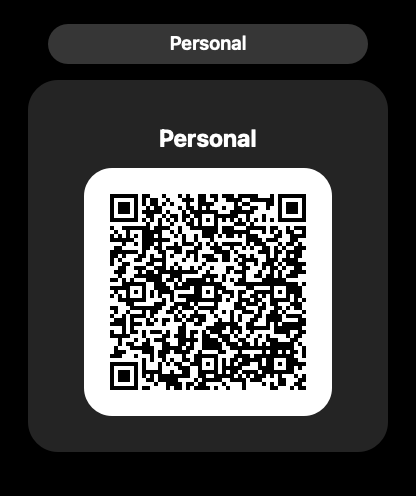
Pinned or default sharing context can follow through to Apple Watch for fast, lightweight handoff away from the phone.
App Store
QontactR already has a public App Store record. Use the App Store link for the live listing, or use the Maavu contact path if you want to discuss support, rollout, or product feedback around the rebuilt release.

What to expect
The current App Store listing reflects the legacy public release. The rebuilt version shown on this page is the in-progress next update tracked in this repository.